No items found.
AI
Jan 30, 2024

Eliminate data silos between SAP and Salesforce in manufacturing. Learn how MuleSoft connects ERP and CRM to unify orders, inventory, and pricing in real time.
Key Takeaways
Sales teams close deals in Salesforce. Production planners manage inventory in SAP. And most of the time, these two systems have no idea what the other one is doing. A sales rep promises a delivery date without knowing whether the raw materials even exist. A production planner schedules a run without knowing a major order just came in. By the time someone catches the mismatch, the customer is already frustrated.
This disconnect costs manufacturers real money. Disconnected ERP and CRM systems cause up to 40 percent more order delays and require 50 to 70 percent more manual effort to reconcile. Staff spend hours re-entering data across screens, cross-referencing spreadsheets, and chasing information that should flow automatically. SAP to Salesforce integration using MuleSoft solves this by creating a permanent, governed bridge between your commercial and operational systems. This blog walks through how that connection works, what it changes on the factory floor, and how to protect sensitive data while keeping everything in sync.

Most manufacturers have tried connecting SAP and Salesforce at some point. The usual approach is a custom script that pulls data from one system and pushes it into the other. It works for a while. Then SAP gets an update and the script breaks. Or Salesforce adds a new field and nobody updates the mapping. Or the person who wrote the original code leaves the company and nobody else understands it.
These point-to-point connections are fragile by design. Every time you add a new data flow, you add another dependency that can break independently. Over time, you end up with dozens of scripts running on different schedules, maintained by different people, with no central visibility into what data is moving where.
The result is a factory floor where sales and production operate on different versions of reality. Inventory numbers don't match. Pricing is outdated. Order statuses lag by hours or days. And every fix creates another brittle connection that will break during the next upgrade.
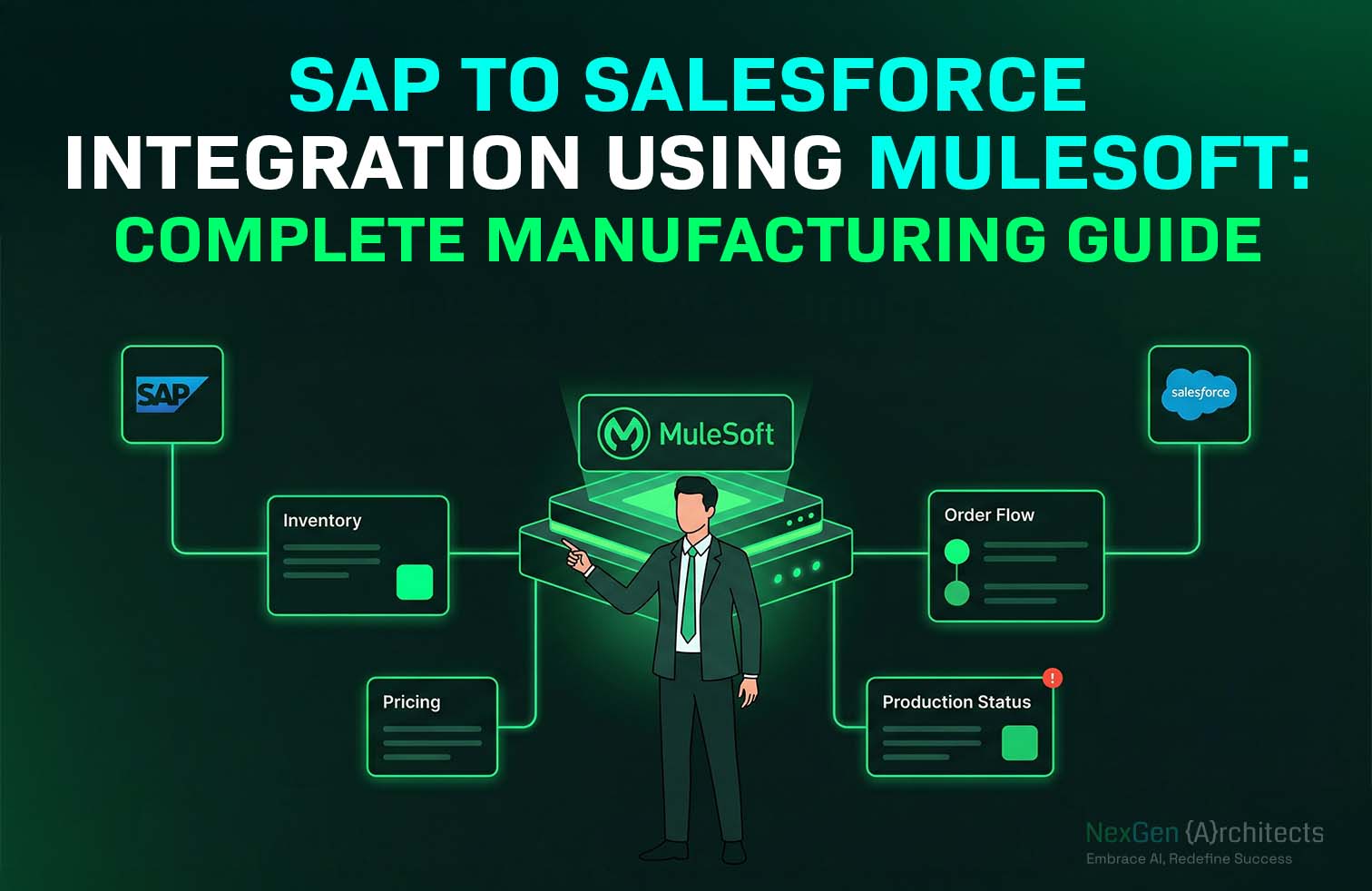
MuleSoft replaces custom scripts with a structured integration layer that sits between SAP and Salesforce. Instead of each system reaching directly into the other's database, all data flows through a central gateway with built-in security, transformation, and monitoring.
MuleSoft uses an approach called API-led connectivity. The idea is simple: instead of writing a new custom connection every time two systems need to share data, you build reusable APIs that any system can call.
Think of it like plumbing. Point-to-point scripts are like running a separate pipe for every faucet in the building. API-led connectivity installs a main water line that every faucet connects to. When you need a new faucet, you tap into the existing line instead of running pipe all the way back to the source.
MuleSoft comes with pre-built connectors for SAP that handle the complex authentication and data extraction. It transforms the data into a format Salesforce can read and pushes it into the right place. If SAP upgrades to S/4HANA, you update the SAP-facing connection once. Everything downstream stays the same.
When a sales rep checks product availability in Salesforce, the request travels through MuleSoft to SAP and back in real time. The rep sees the exact stock level without logging into SAP. When a contract is signed, the production queue updates automatically. No phone calls. No emails. No re-keying order details into a second system.
Logistics managers see material requirements the moment they change. Purchasing stops over-ordering because they can see what's already allocated. The warehouse stops promising inventory that belongs to another customer. Everyone works from the same data.
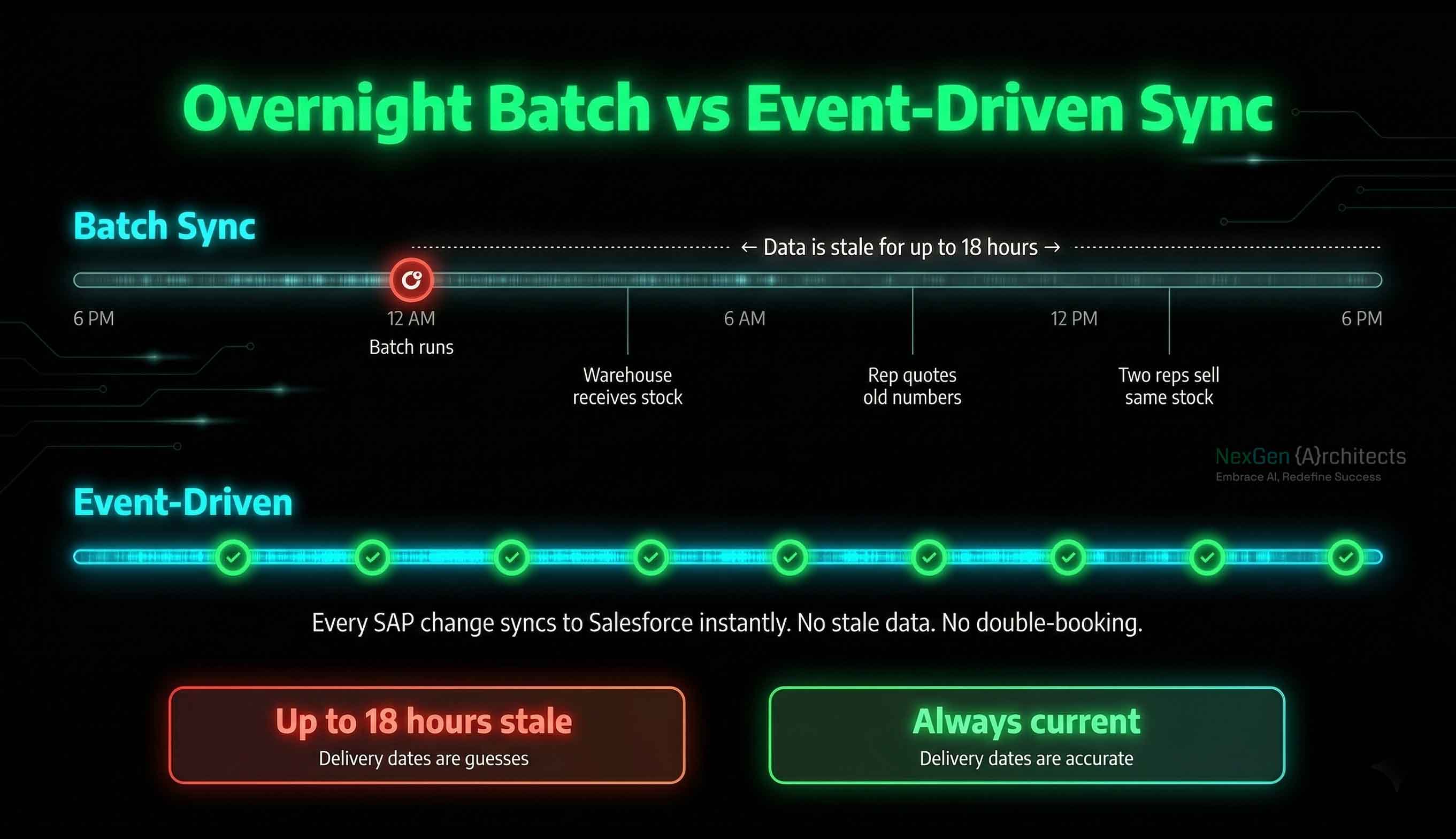
Overnight batch syncs used to be acceptable. They are not anymore. When a sales rep quotes a delivery date based on inventory data that's 12 hours old, they are guessing. If two reps sell the same stock to different customers before the next sync runs, someone gets a broken promise.
MuleSoft enables event-driven updates. When a warehouse worker scans a finished pallet into SAP, MuleSoft catches that event and updates the Salesforce product record instantly. The stock level changes before the worker puts the scanner down.
If Salesforce is temporarily offline for maintenance, MuleSoft queues the incoming updates and delivers them in order once the system is back. No data gets lost. No updates arrive out of sequence. The sales team always sees accurate numbers.
This alone changes how a manufacturing company sells. Delivery commitments become reliable. Double-bookings disappear. Customer trust goes up because the dates you promise are the dates you deliver.
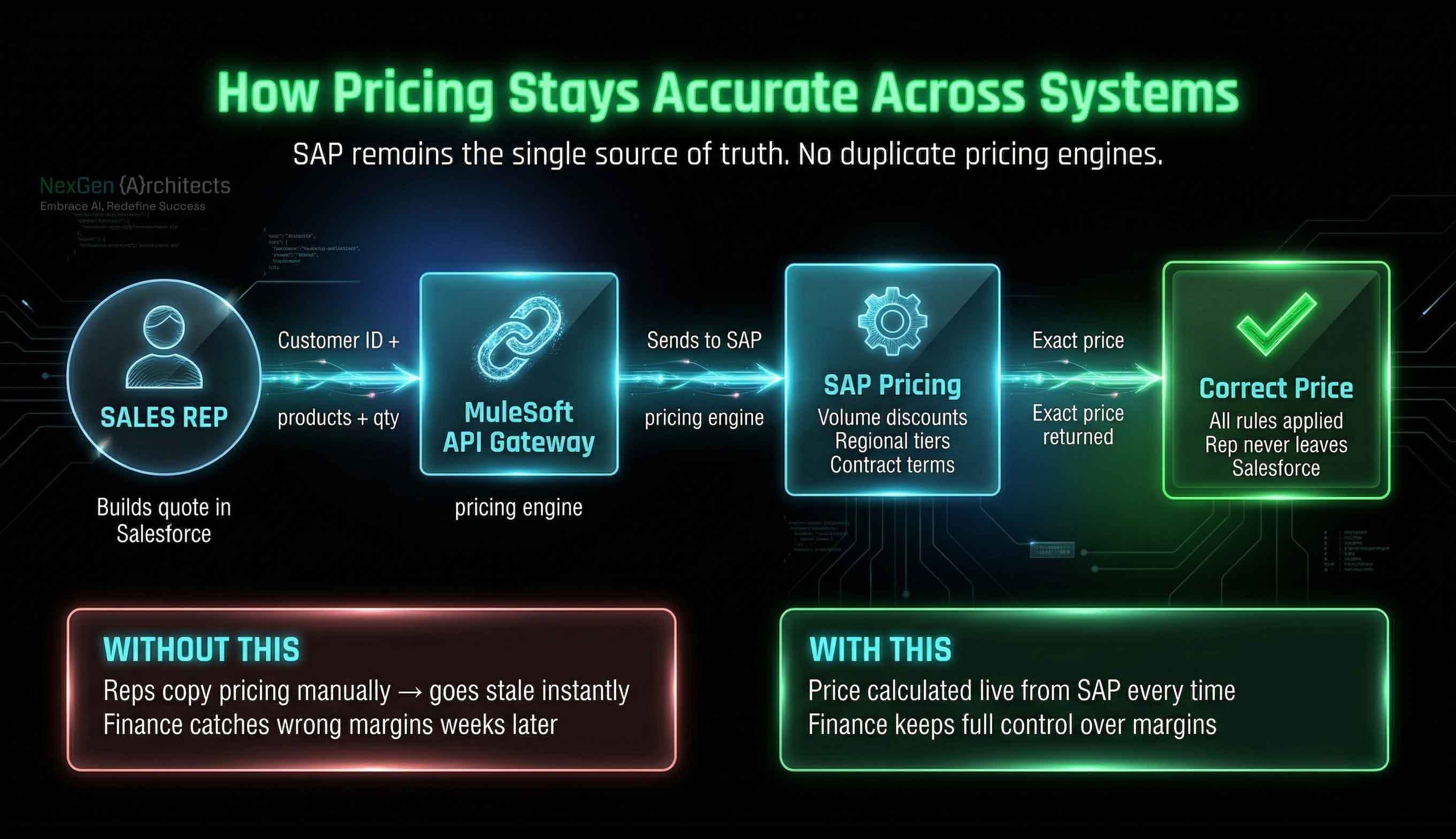
Manufacturing pricing is rarely simple. A single customer might have volume discounts, regional pricing tiers, contract-specific terms, and negotiated margins. All of that logic lives in SAP. But the people building quotes work in Salesforce.
When someone copies pricing rules into Salesforce manually, those rules go stale the moment SAP gets updated. Reps quote wrong prices. Margins get eroded. Finance catches the errors weeks later during reconciliation.
MuleSoft solves this by connecting Salesforce directly to SAP's pricing engine. When a rep builds a quote in Salesforce Manufacturing Cloud, the system sends the customer ID, product codes, and quantities to SAP through MuleSoft. SAP calculates the exact price using all active business rules and sends the number back. The rep sees the correct price without ever leaving Salesforce.
No duplicate pricing engines. No manual sync. Finance keeps full control over margins and discount approvals. Sales gets accurate numbers instantly.
Connecting two enterprise platforms that hold customer financial data, proprietary pricing, and production schedules creates real security exposure if done carelessly. Every connection between SAP and Salesforce needs to be monitored, authenticated, and controlled.
MuleSoft's Anypoint API Manager provides a single dashboard for all integration traffic. Every data request is logged: who made it, what they asked for, when it happened, and what was returned.
Rate limiting prevents any single application from overwhelming SAP with requests. If a misconfigured report starts querying inventory data thousands of times per second, the gateway blocks it automatically. Access credentials can be revoked in seconds if suspicious activity is detected.
Only authorized Salesforce instances can access production data. Only approved workflows can trigger order updates. And every transaction leaves an audit trail that compliance teams can access instantly instead of assembling manually before each review.
You do not need to rip out every existing script on day one. The safer approach is to start with the highest-impact data flow, usually order management or inventory sync, and build a governed MuleSoft connection for that first. Once it is running, migrate the next most critical flow. Each old script gets replaced by a managed API until the legacy connections are fully retired.
This approach reduces risk because production never depends entirely on unproven infrastructure. Each new connection gets validated before the old one is turned off.
Without governance, new custom scripts will start appearing within months. Teams under deadline pressure will build quick fixes that bypass the integration layer. A Center of Excellence prevents this by setting clear rules: approved templates, security standards, and access protocols. Every new connection follows the same pattern. The integration layer stays clean and maintainable instead of slowly becoming the same mess you just replaced.
Running a manufacturing business on disconnected SAP and Salesforce systems costs more than most companies realize. It shows up as wrong delivery dates, incorrect pricing, double-booked inventory, and hours of manual data entry that adds zero value. The problem is not the people doing the work. The problem is that the systems they depend on were never designed to talk to each other.
SAP to Salesforce integration using MuleSoft fixes that permanently. Orders flow automatically from CRM to production. Inventory updates reach sales teams in real time. Pricing stays accurate because it comes from one source. And every connection is visible, secured, and governed from a single control point.
NexGen Architects builds these integration architectures for manufacturers. We connect SAP and Salesforce through MuleSoft with fault-tolerant designs that survive system upgrades, scale with production volume, and keep sensitive data protected.
.svg)

